Werksign

Time you can stand behind.

Every shift on the record. Nobody’s word against anybody’s.

Clock in with one tap. Managers approve every change.

7-day free trial. For teams of 5 to 5,000.

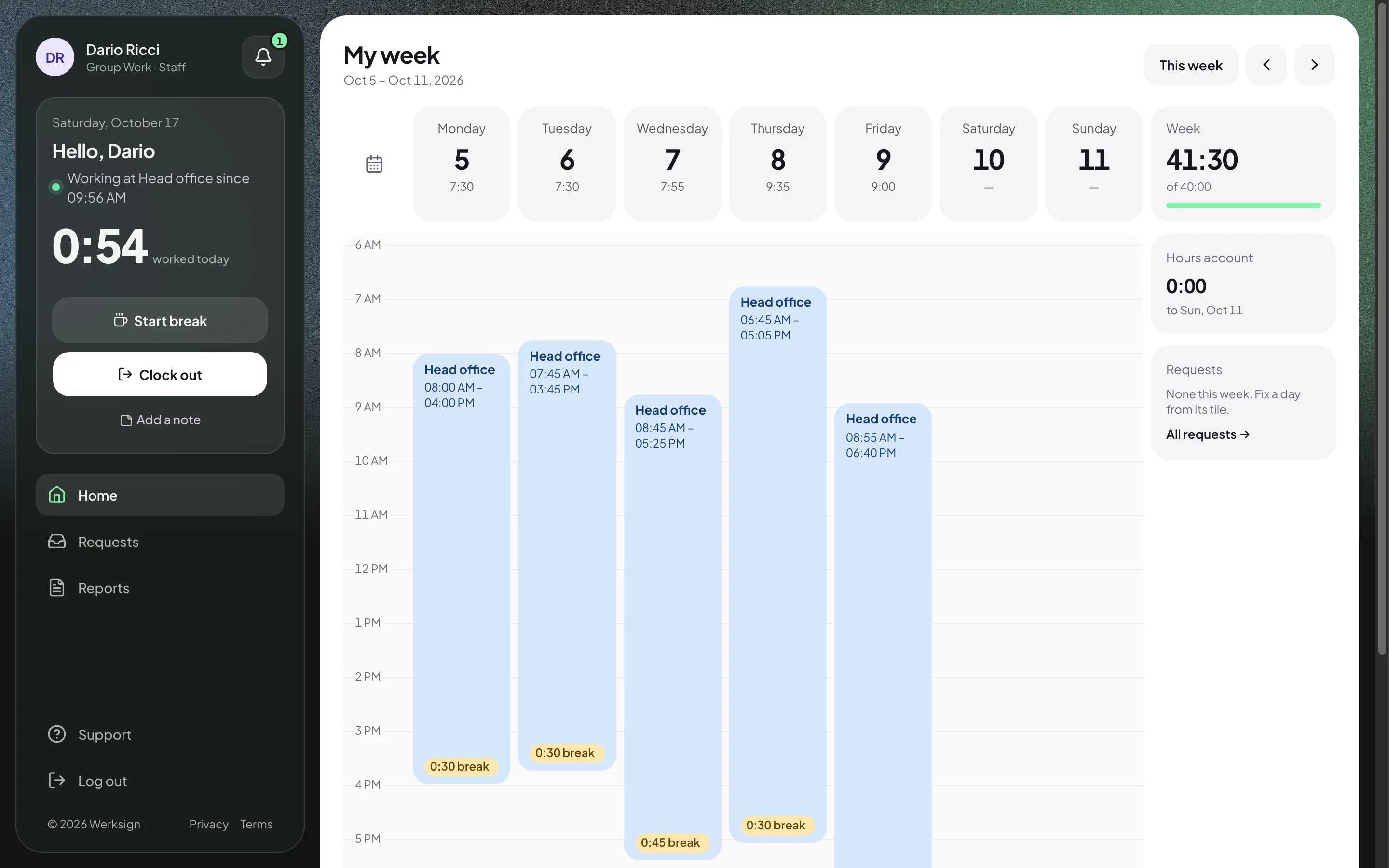
The Werksign week view on a desktop: each day's recorded shifts, breaks and totals laid out as a timeline.
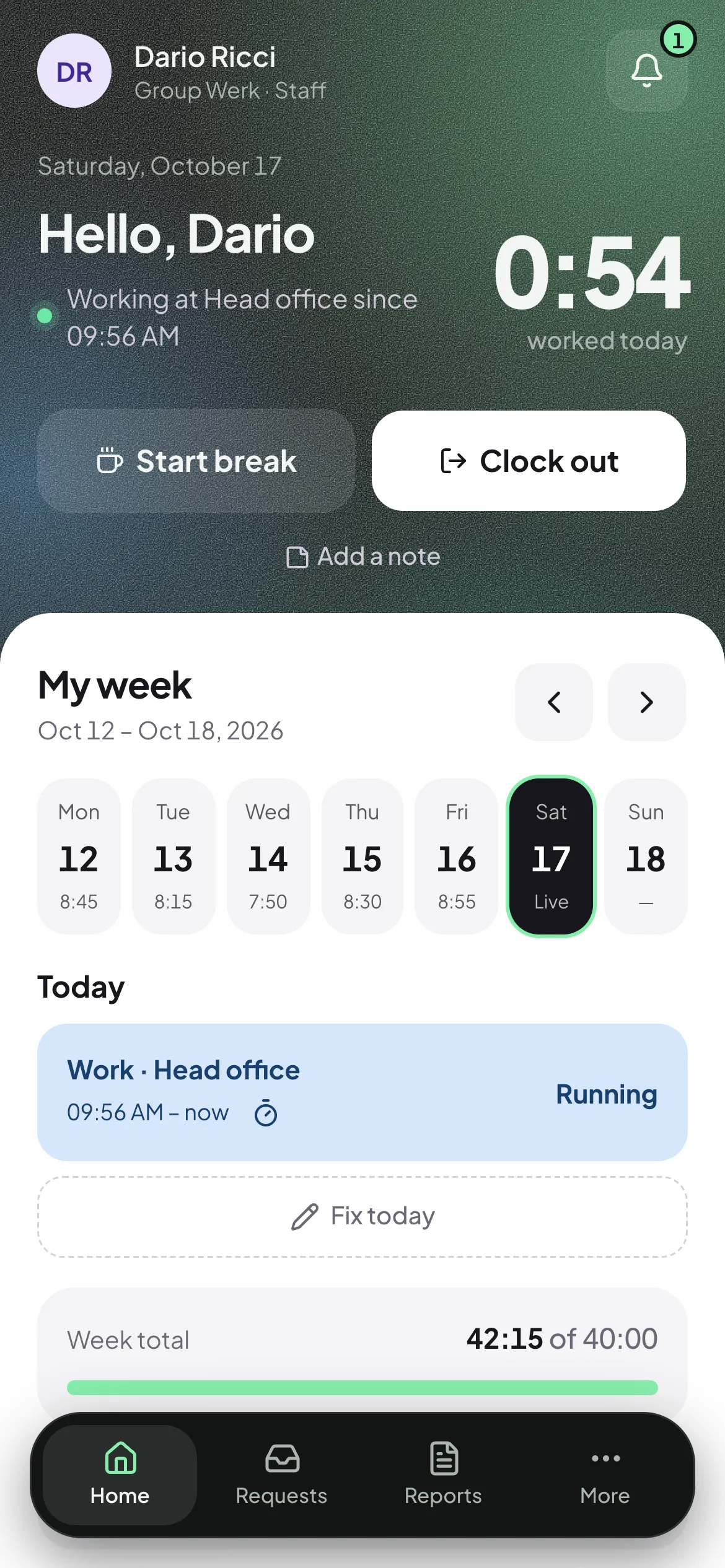
Werksign on a phone: an employee clocked in at the head office, 5:10 worked today, with Start break and Clock out buttons and the week below.

One timeline, three steps.

  1. 1

    Record

    Employees tap to clock in and out. The server stamps the time, so nobody types it in afterwards.

  2. 2

    Correct

    Something wrong? They ask for a fix. A manager approves it, and the original times stay on file.

  3. 3

    Report

    Hours, overtime and absences roll into reports and a payroll export. Lock the month when it is done.

Clock in in one tap.

Open Werksign and the clock is the first thing on the screen. One tap starts your shift, one tap ends it.

  • Start and end breaks without leaving the home screen.
  • Choose the site you are at, and add a note when the day needs one.
  • See your whole week and today’s total as it runs.
  • Something wrong? Ask for a fix right from the day.
The employee home screen: Dario Ricci is clocked in at the head office with 5:10 worked today, Start break and Clock out buttons, and the week from Monday to Sunday below.

Know who’s in, at every site.

Managers get a live view of their team, grouped by site, so “is anyone at the warehouse yet?” has an answer.

  • See who is working, on a break, or already finished.
  • Flags surface what needs a look: a late start, an open shift, a missing punch.
  • Each manager sees their own team, nothing more.
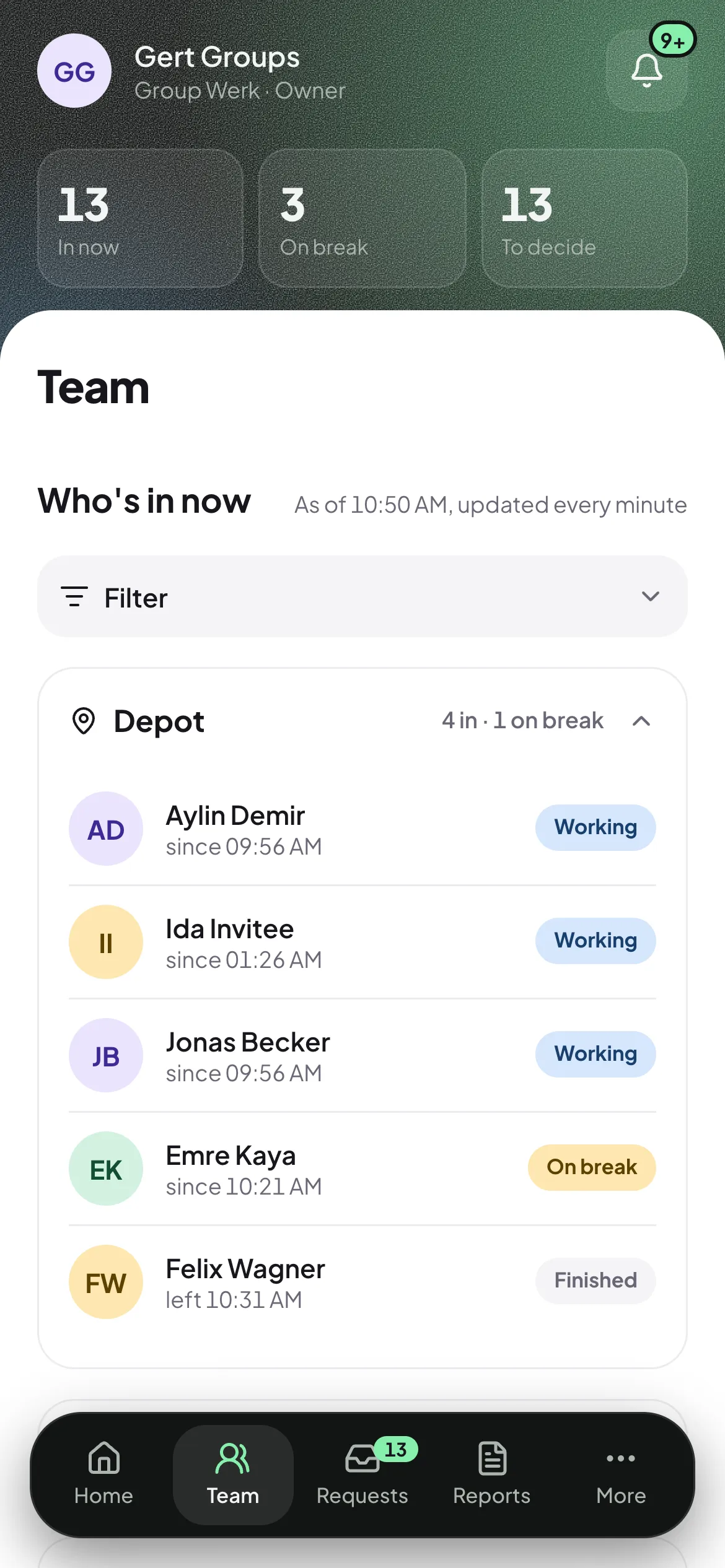
The manager's Team page: who is in right now, grouped by site, with people marked as working, on a break or finished.

Approve fixes and time off in seconds.

Everything waiting on a decision sits in one place, with what was asked and what was recorded side by side.

  • Time off, time corrections and new device approvals in one list.
  • Approve or decline in a tap, with a reason when you want one.
  • The original times stay on file, whatever you decide.
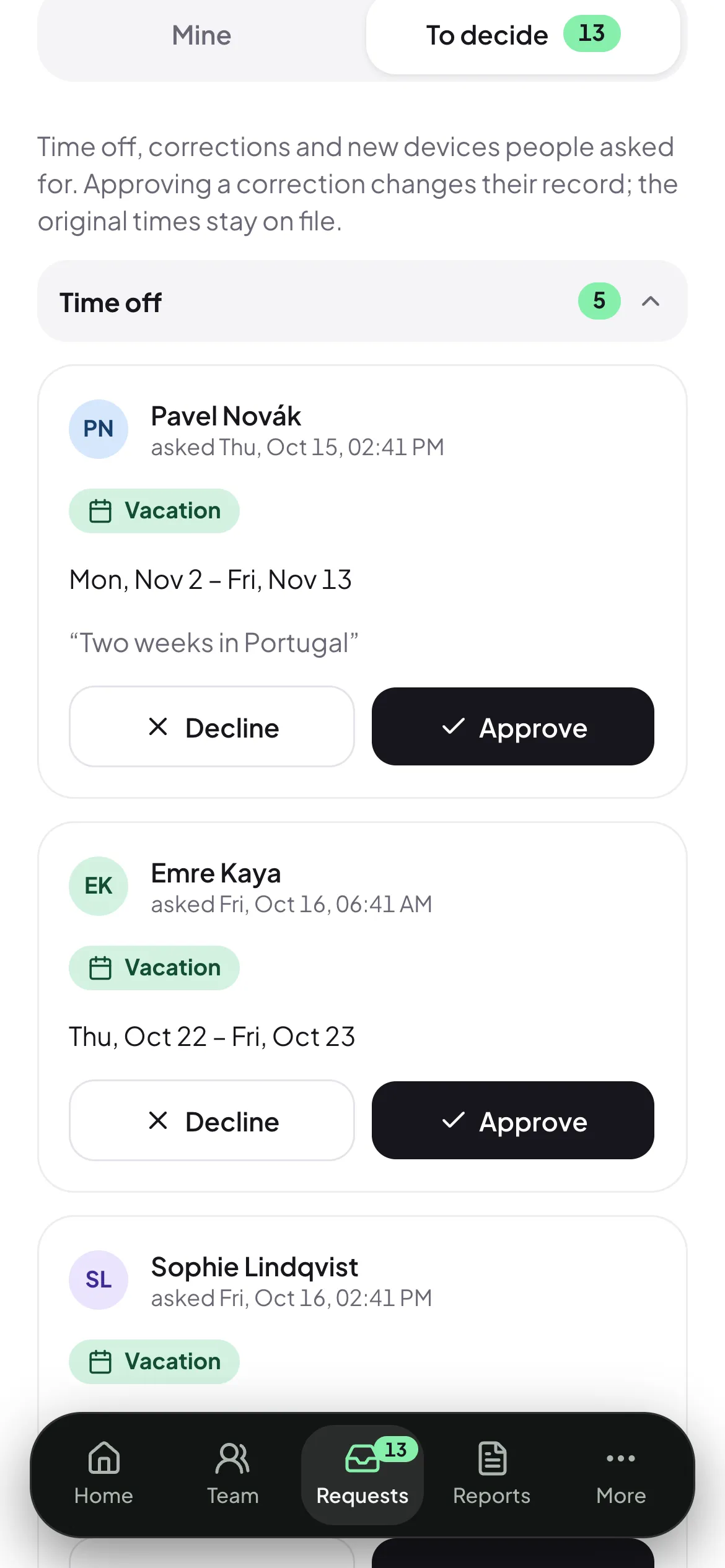
The manager's Requests page: time off, corrections and device approvals waiting for a decision.

Proof of presence, if you want it.

Three optional checks, switched on per company. Set each one to Off, Warn or Block: warn flags the punch for a manager, block stops it.

  • Site geofence

    The punch has to happen near the site you picked.

  • Office network

    The punch has to come from your office’s network.

  • Enrolled device

    The punch has to come from a phone the employee enrolled and a manager approved.

Location is read only at the moment of a punch, never in the background. Werksign does not collect MAC addresses, and managers cannot look up where someone is.

A record that can’t be quietly changed.

Trust comes from what cannot happen. Nothing is overwritten, and nothing changes without leaving a trace.

  • Punches are append-only

    Each clock-in and clock-out is stamped with the server’s time and never edited in place.

  • Corrections are new rows

    A fix is a new entry a manager approves. The original stays beside it, so both versions are on file.

  • Every change is logged

    The audit log shows who changed what and when, so an auditor can see why a number looks the way it does.

  • Reach follows the reporting line

    Managers see their own team and approve for it. Nobody sees further than their role reaches.

Reports payroll can trust.

Hours, overtime and absences by person, team and period, ready when payroll asks.

  • Download CSV and PDF reports for any date range.
  • Shape a payroll-ready export once, then reuse it every month.
  • Lock a month so the numbers you sent stay the numbers you sent.
The Werksign week view on a desktop: each day's recorded shifts and breaks with daily and weekly totals.

What Werksign won’t do.

  • It doesn’t calculate pay.

    Werksign records and reports time. Your payroll does the money, and we export to it.

  • It doesn’t track covertly.

    No background location, no hidden checks. Presence checks run only at a punch, and only if your company turns them on.

  • It doesn’t make legal promises.

    Rule packs are a starting point for common working-time rules. You own your configuration.

One plan. Everything in it.

You pay for active employees only: anyone with a punch or an absence that month. People who did nothing that month cost nothing.

€2.99 per active employee per month

Every feature included · 7-day free trial · No setup fee

  • Clock-in on any phone, nothing to install
  • Sites, groups and approval flows
  • Time off, corrections and device approvals
  • Optional presence checks
  • Reports, CSV, PDF and payroll exports
  • Audit log and month locking
  • Data stored in the EU (Frankfurt)
Start free trial

Questions, answered.

Do employees need an app?

No. Werksign works in the browser on any phone. Add it to the home screen and it opens like an app.

What if someone forgets to clock out?

Shifts left open for too long close automatically and are flagged. The employee can then ask for a fix, and a manager approves it.

Can managers see where people are?

Only at the moment of a clock-in, and only if your company turns the location check on. Nothing is read in the background.

Does it work for several sites?

Yes. Employees choose their site when they clock in, and managers see who is in site by site.

How does billing work?

You pay €2.99 per active employee per month: anyone with a punch or an absence that month. The first 7 days are a free trial.

Where is data stored?

In the EU, in Frankfurt.

Put every shift on the record.

Start a 7-day free trial. Add your sites and your people, and the first punch is one tap away.

Start free trial